

One Click Importer
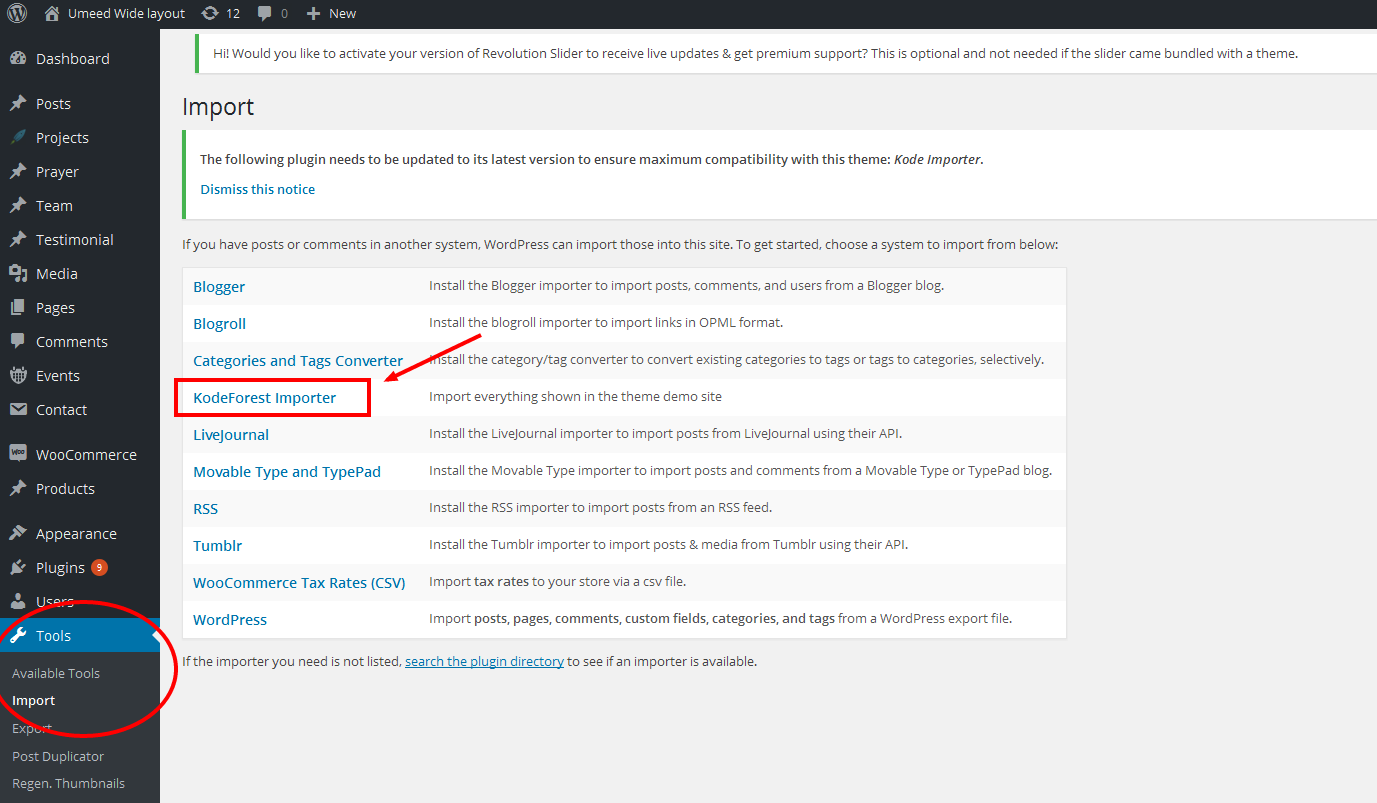
Umeed has One Click Dummy data importer which helps you to import the dummy data with just one click option which set up your site automatically like demo with in few seconds. All you just need to go to the Tool > Import > and click on the Kode Importer. Wait for the importing of dummy data. Note : For importing the dummy data you first need to install the Kode Importer plugin.
How to Import Other Home Layouts ?
To Import the other home layouts Just go to the New page. Enter the title of the page and publish it. After publishing the page go to the right side bar of the page where you will find the default page templates field. Click on the layout you wish to have. The site will be set up according to the requested layout.